
Personalizing your player with custom jerseys, helmets, and rare outfits in Football Bros is one of the best ways to stand out during online multiplayer matches. Whether you want to represent your favorite team colors or equip rare achievement-based cosmetics, this step-by-step guide walks you through the entire unlock process.
🏆 Step-by-Step Guide to Unlocking Cosmetics in Football Bros
Step 1: Earn In-Game Wins and Trophies 🥇
To unlock new cosmetics, you must earn experience and complete matches across Quick Play, Franchise Mode, or Online Multiplayer.
- Winning tournaments and earning championship trophies in Franchise Mode unlocks high-tier cosmetic rewards faster.
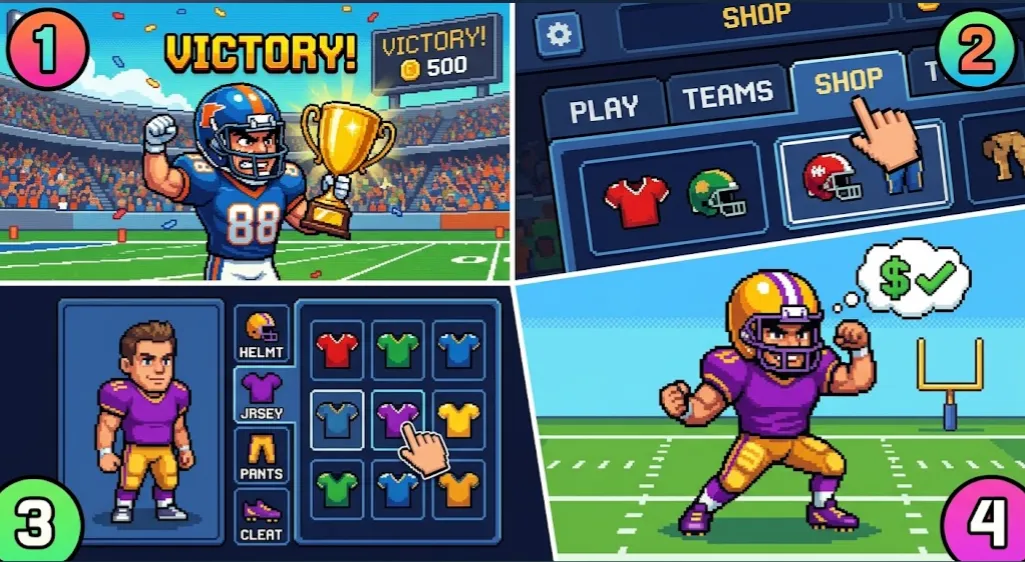
Step 2: Access the Locker Room / Customization Menu 🚪
From the main menu screen, navigate to the Locker Room or Customization tab before starting a match.
- This section displays all available gear categories, including Helmets, Jerseys, Pants, and Cleats.
Step 3: Select and Equip Your Custom Outfit 🏈
Click through the unlocked cosmetics to select your preferred style.
- You can mix and match helmet designs, primary jersey colors, and secondary trim to build a unique team identity.
🔒 Types of Unlockable Items in Football Bros
| Category | How to Unlock 🔓 | Customization Options 🎨 |
| Standard Jerseys | Win standard quick-play matches | Primary & Secondary Color Palette |
| Special Helmets | Complete Franchise Mode seasons | Visors, Stripe Designs, Logos |
| Rare Outfits | Achieve online win streaks | Special Retro & Golden Uniforms |
💡 Quick Tips to Unlock Rare Gear Faster
- 🏆 Play Franchise Mode: Finishing a full season rewards a chunk of cosmetic progression points.
- 👥 Complete Online Daily Matches: Playing against real players in custom rooms speeds up outfit milestone rewards.
- 💾 Save Your Progress: Ensure you don’t clear your browser cache so your unlocked jerseys and customization data stay saved!