
When it comes to quick, casual sports games that you can play instantly in your browser (even on school Chromebooks), two titles dominate the field: Football Bros and Basket Bros. Both games share a distinct, charming 2D pixel art style and are developed by Blue Wizard Digital, promising chaotic, physics-based, 1v1 action.
While they share a developer DNA, the actual experience on the gridiron versus the hardwood is vastly different. This guide will walk you through exactly what is required to play both games, provide a detailed step-by-step comparison of the two experiences, and help you decide which arcade sports game is right for you.
🏆 Feature Comparison: Football vs Basketball Arcade
Before diving into the detailed steps, here is a snapshot comparison of the core mechanics:
| Feature | 🏈 Football Bros | 🏀 Basket Bros |
| Players | 2D Sidescrolling Football | 2D Sidescrolling Basketball |
| Team Size | 1v1 (Single Player or Local 2P) | 1v1 (Single Player or Local 2P) |
| Scoring | Touchdowns (6 pts) & Extra Points (1 pt) | Baskets (2 or 3 pts) |
| Controls | Move, Pass, Tackle, Sprint | Move, Shoot, Steal/Block |
| Complexity | Higher (Multiple plays, different positions) | Lower (Continuous, fast-paced transitions) |
| Multiplayer | Online & Local 2 Player Same Keyboard | Online & Local 2 Player Same Keyboard |
🛠️ Step-by-Step Guide: What You Need and How They Compare
This section details the actual steps required to get into either game and explains the nuance in their respective gameplay loops.
Step 1: Minimum System Requirements & Browser Setup 🌐
What is Required for Both Games:
Since Football Bros and Basket Bros are HTML5 browser games, the barrier to entry is extremely low. You do not need a powerful gaming PC. The games are highly optimized to run on low-end hardware, including most school Chromebooks.
Prerequisites:
A desktop or laptop computer (PC, Mac, Chromebook).
A modern web browser (Chrome, Firefox, Edge, Safari).
A stable, though not necessarily high-speed, internet connection (required for online multiplayer and game loading).
Step 2: Accessing the Games & Main Menu 🎮
How They Compare:
Getting into either game is instantaneous. You access them directly via their respective official domains or through authorized unblocked game hubs.
Football Bros Required Actions:
Navigate to [https://football-bros.io/](https://football-bros.io/) or your preferred unblocked proxy.
The game will load very quickly.
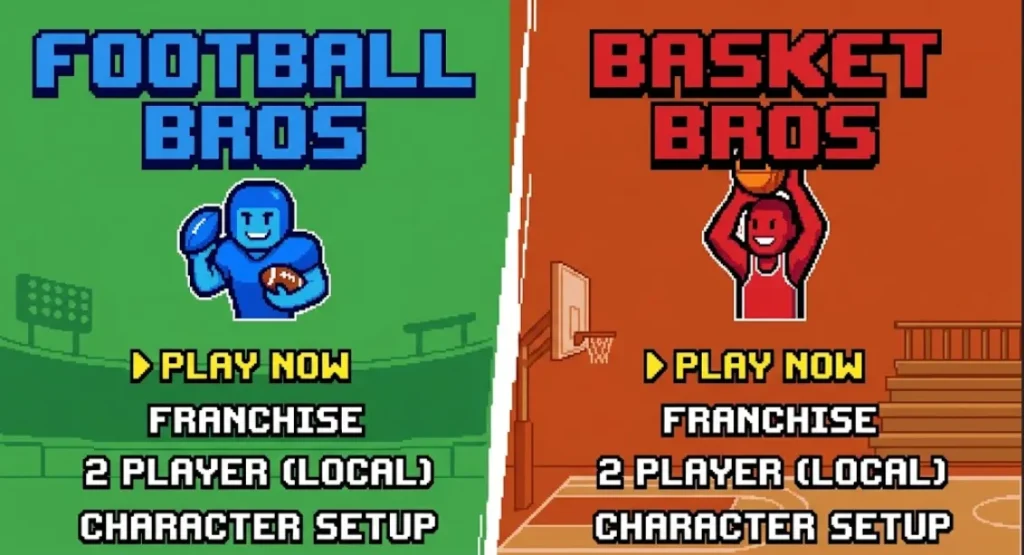
On the Main Menu, you are presented with options for Quick Play, Franchise (a single-player tournament mode), and 2 Player (Local Multiplayer).
Basket Bros Required Actions:
Navigate to [https://basket-bros.io/](https://basket-bros.io/) or its equivalent proxy.
The loading process is equally fast.
The main menu interface is extremely similar, providing access to Play Now, a tournament bracket (similar to Franchise), and 2P (Local Multiplayer).
Step 3: Mastering the Controls & Core Mechanics 🕹️
How They Compare:
This is where the games truly diverge. While both use identical input methods (WASD/Arrows + Action Key), the contextual application of those buttons differs significantly.
Football Bros Required Actions (Offense):
Movement: Use WASD or Arrow Keys to scramble with your QB.
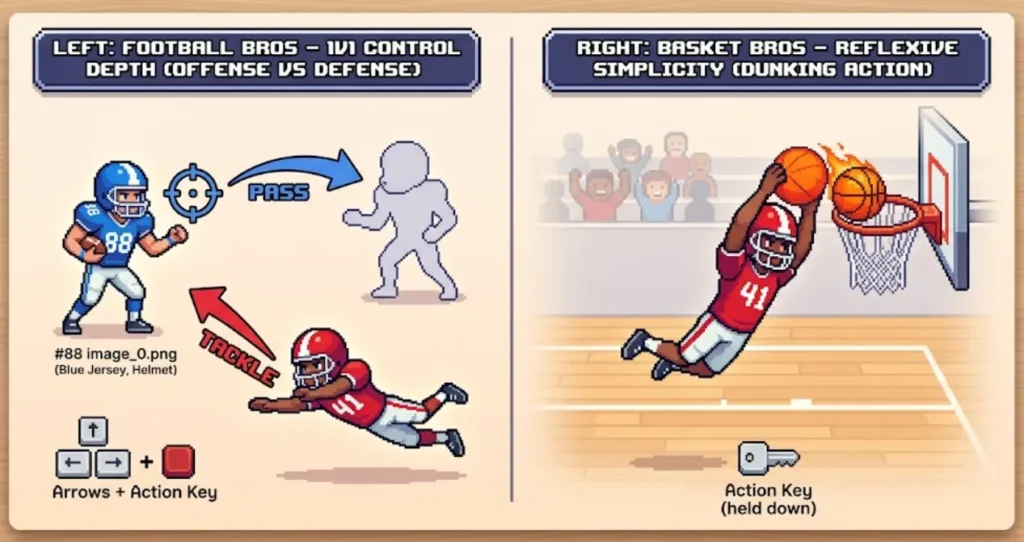
Passing: Use your mouse to aim a passing reticle. Press and hold the Action Key (Spacebar or G/L) to determine throw power.
Rushing/Catching: Once a player has the ball, use the Action Key to execute a timed Sprint Boost (Shift). If you are controlling a defender, the Action Key performs a Tackle.
Basket Bros Required Actions (Offense):
Movement: Use WASD or Arrows to dribble.
Shooting: Unlike the aimable passing of Football, shooting in Basket Bros is all about positioning relative to the basket. Press and hold the Action Key (Spacebar or L) to jump; release the key to shoot at the apex of your jump for maximum accuracy.
Dunking: If you jump very close to the net, the character will automatically execute an unblockable, physics-based dunk.
Step 4: Accessing Multiplayer Modes (Online & Local) 👥
How They Compare:
The best feature of both “Bros” titles is the ability to play against real opponents. The required steps are slightly different for local vs online.
For Local 2 Player (Same Keyboard):
Required for Both: On the main menu, select 2P. The screen will split, and one player will use WASD + G (Left Side), while the other uses Arrow Keys + L (Right Side). The layout is seamless and intuitive.
For Online Multiplayer:
Football Bros Required Actions: Access is usually handled by joining or creating “custom rooms” that generate a join code you share with a friend.
Basket Bros Required Actions: It features a more direct Online Matchmaking button that immediately pairs you with a random opponent, similar to a simplified lobby system.
🎯 Verdict: Which Browser Sports Game Wins?
Play Football Bros if you want slightly more tactical depth, enjoy aimable passing, and like the strategic complexity of managing different downs and plays. It has a slightly higher learning curve but is rewarding for sports fans.
Play Basket Bros if you crave immediate, simple, non-stop arcade action, enjoy reflexive transitions, and want the satisfaction of hitting complex jump shots or monster dunks in rapid succession.